NSND (No Supply No Demand) MT4 Indicator
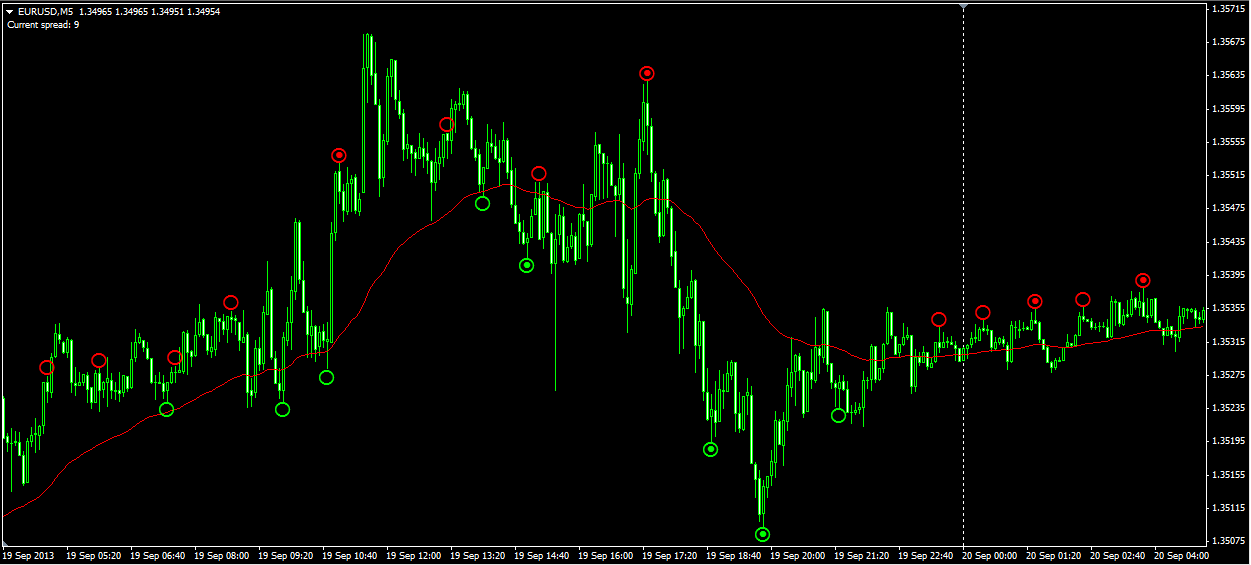
A Volume Spread Analysis (VSA) indicator that identifies potential market reversals by detecting the absence of supply or demand. Red and yellow arrows signal when smart money may be entering or exiting positions.
How NSND Indicator Works
The indicator analyzes volume and price spread to identify "No Supply" and "No Demand" conditions - moments when selling or buying pressure is exhausted, often preceding reversals.
Red Arrows (No Supply)
Potential upward reversal or pause in downtrend
Yellow Arrows (No Demand)
Potential downward reversal or pause in uptrend
Usage Tips
- Signals confirm only after price closes above/below the trigger bar
- Works best on H1 timeframe according to creator
- Combine with moving averages and trade in trend direction
Key Features
VSA Analysis
Volume Spread Analysis methodology for smart money detection
Clear Arrow Signals
Color-coded arrows mark potential reversal points
Volume Companion Indicator
A second download (NSND Volume) colours volume bars so low-volume No Supply / No Demand bars stand out
Source Code Included
Customize and modify with included .mq4 source
How to Install (5 Steps)
Download the Indicator
Click the download button to get the ZIP file with .mq4 source
Extract Files
Unzip to access the .mq4 file
Copy to Indicators
In MT4: File > Open Data Folder > MQL4 > Indicators
Compile the Indicator
MT4 will automatically compile .mq4 to .ex4
Attach to Chart
Restart MT4 and drag indicator from Navigator
Screenshots
Frequently Asked Questions
What is VSA (Volume Spread Analysis)?
VSA is a methodology that analyzes the relationship between price spread and volume to identify smart money activity. "No Supply" means sellers are exhausted, "No Demand" means buyers are exhausted.
What timeframe works best?
The creator recommends the H1 (1-hour) timeframe for the most reliable signals. Lower timeframes may produce more noise.
Save on Every Trade
Use NSND Indicator with these brokers and get instant commission discounts

IC Markets
$1.50/lot (21.5% off) instant discount
Raw spreads for accurate VSA readings
Ready to Use NSND Indicator?
Download now and start identifying better trading opportunities
Download Free100% free, no signup required. Works with MT4.